How to Make Lyric Art: A Finished Layout and Gift Note
Turn chosen words into readable lyric artwork with an original finished design, a complete layout recipe, export steps and a personal gift note.
To make lyric art, choose a short passage that means something to the recipient, give those words most of the space, and add a small dedication that explains why you chose them. Finish the layout before deciding whether to frame it or send it as an image. A readable verse with a personal note usually does more work than a full song squeezed around a photograph.
This guide takes you from choosing the words to a finished design you can give. You can use your own writing, lyrics you have permission to use, or a personal song you already have. The artwork is a separate project; you do not need to order another song to complete it.
Start with the words you want them to notice
Choose the passage before the decoration. Read it on its own: does it still say what you mean without the preceding verse? A line that sounds affectionate in a recording may feel unfinished on a wall. Keep enough of the thought for the printed words to make sense.
For a first design, try two to four short lines. This is a useful limit for the example below, not a rule about every lyric print. A longer passage can work, but it needs more room. If the type is getting smaller each time you add something, remove something.
- For a partner: choose words about a detail they would recognise, rather than a grand claim you would never say aloud.
- For a parent or friend: choose the part that speaks from your relationship. Avoid a romantic verse simply because it is your favourite line in the song.
- For remembrance: choose something the person receiving the artwork would welcome seeing. You can offer the design privately before making a permanent display.
Check the words against the source you intend to use. Keep spelling, names and punctuation deliberate. If a personal song is still being revised, wait for the wording you want to keep before making the final artwork.
A finished example: “The small things”
The verse and artwork below were written and designed for this guide. They are an original layout demonstration, not lyrics from a recorded song, a customer's commission or a picture of someone else's gift.

Open the full-size example artwork.
You leave a light beside the door.
You wait when I fall behind.
In all the little things you do,
I find a home that feels like mine.
The drawing echoes a small daily routine; it does not replace the message. The cream background and dark words keep the passage readable. The small line at the bottom, “For the ordinary days,” gives the artwork a purpose without adding a second long message.
For your own design, keep the structure and replace the words. If you use an existing song, include its title and the appropriate attribution. If you are using your own personal song, choose the title and dedication that belong to that song. The example title above is a design title.
Build the layout in three parts
1. A title that introduces the piece
Put the song title or your own short heading near the top. In the example, the heading names the theme rather than repeating the verse. Give it less visual space than the passage you want them to read.
2. The words that carry the gift
Place the lyric passage in the middle, with generous space between lines. Use a typeface that remains clear at the size you intend to give. Decorative lettering can work for a short heading; it is harder to read across a whole verse.
Break lines at a natural pause. Read the layout aloud to check that the breaks do not change the meaning. Do not centre a long paragraph simply because the title is centred; try a left-aligned block if that is easier to follow.
3. A small dedication
Put a name, date or short dedication below the verse. Include only details you have checked. You might write “For the walks home, from Alex” or “For Mum, with thanks for the little things.” A date is optional. You do not need to add an anniversary year that the recipient counts differently.
Recreate the example in a drawing editor
A vector editor such as Inkscape lets you keep the text editable and export a viewing image. Its official beginner guide explains text tools. The following measurements describe this particular example; they are not a required poster size.
- Create a portrait page. The demonstration uses a 1,200-by-1,500-pixel page, a 4:5 proportion. Start with your intended frame or provider's actual dimensions if you will order a physical print.
- Add a solid background. Use a warm off-white rectangle covering the page. Add a fine border inside the edge, leaving clear space around it.
- Place the title. In this example, “The small things” sits near the top in a dark serif typeface, about 70 pixels high. Use the font available in your editor and adjust by eye if its proportions differ.
- Add one small illustration, if wanted. Two simple mugs sit above the verse. You can omit the illustration, or use a small image you are entitled to include. Keep it secondary to the words.
- Add the verse as four separate lines. The example uses roughly 49-pixel text with about 95 pixels between line baselines. The longest line has room at both ends. Longer words or a different font will need a different size.
- Add the dedication near the bottom. A thin line separates the verse from the smaller closing phrase. Keep the lower margin clear.
The aim is not to copy every measurement. It is to keep a clear order: title, words, dedication. If you add a photo, reduce the illustration or remove it first. Give the image its own area instead of placing pale text over a busy face or landscape.
Make a familiar line more personal with the note
You can explain the connection without changing a quoted lyric. Put your own words in a separate dedication or the card that accompanies the artwork.
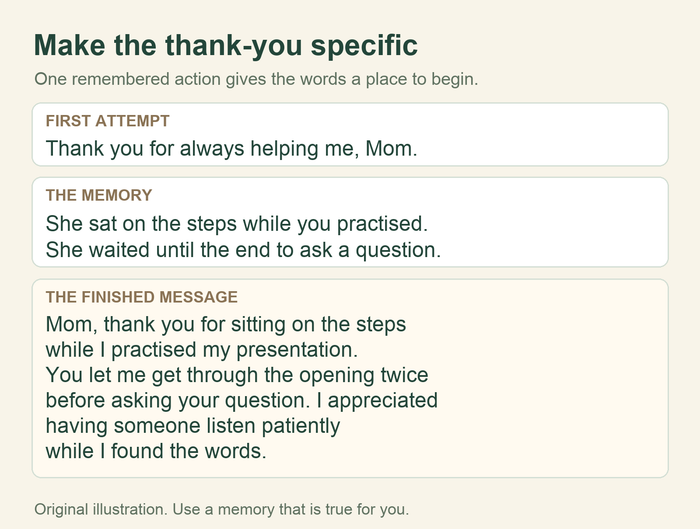
A vague note: “This song reminds me of us. You mean everything to me.”
A more specific, illustrative note: “I chose these words because you still leave the hall light on when I'm coming home late. It is a small thing you do without making a fuss, and I notice it. I wanted to put that thank you somewhere we would see it.”
The improvement comes from the real action, not a more dramatic adjective. Use the detail that belongs to your relationship. Do not borrow the hall light from this example if it is not your memory.
Save an editable version, then export the gift
Keep the editable design so a name, date or line break can be corrected later. Inkscape normally saves its editable work as SVG; see its saving guide. Export a separate viewing copy rather than replacing your working file.
For an image you will send, PNG is a useful option. In the Inkscape 1.3 beginner guide, the export controls offer Page, Drawing, Selection and Custom areas. Choose the whole page for this layout, check the exported pixel size, and give the file a clear name. Menu labels may differ in the version you use.
Open the exported file outside the editor. Check the first and last line, both margins, the dedication and the background. If something is missing, check that you exported the page rather than a selection. If the background is transparent when you wanted cream, check the background shape or export settings.
For a physical print, use the print provider's current size, file and proof requirements. The example's pixel dimensions are not a guarantee of any particular print size or quality. Check the actual file proof before paying; do not let an automatic crop remove the names or a line of the verse.
Choose how to give it
A physical piece to unwrap
Choose the print and frame dimensions together so the artwork is not stretched or cropped unexpectedly. Put your personal note in an envelope behind the gift rather than covering the verse with a long dedication. Give it with one clear sentence: “I chose this part because it says something I've wanted to thank you for.”
A digital piece to keep
Send the exported image as an attachment or a file link that the recipient can open. Use a clear filename such as “For-Alex-lyric-art.png.” If an app makes the image look fuzzy, check whether you can send the original file. Open the delivered copy once before treating it as finished.
I made a little piece of artwork from words that reminded me of you. The note explains why I chose them. Keep it wherever you like; I just wanted you to have the thank you.
This is an original example of the message that could accompany the gift. A quiet private handover is enough; you do not need to plan or record a reaction.
Questions about lyric artwork
Do I need the whole song?
No. A short passage can carry the thought and remain readable. If you want every verse, consider a separate lyric sheet or book rather than shrinking all the words onto a small artwork.
Can I make a small lyric card instead?
Yes. Use fewer words and leave space for the note. Keep the same order: heading, passage, dedication. A card is a format variation of this project, not a reason to fit the full song into less space.
Will the artwork play the song?
A picture of lyrics does not contain a playable recording. If you want the recipient to listen too, include a working song link separately. A listening code is another option once you have a destination that is suitable to share.
If you want words made from your own story
You can finish the artwork with a song you already have or your own writing. If a new personal song would fit the gift, start a Songbond song with your own names, memories and message. Make the art from the final wording you choose to keep.
If you are still choosing a format, the song lyric gift ideas guide compares frames and other keepsakes. This project is for the next step: turning chosen words into a finished, readable piece.